o-snap: fixing the snipping tool
the windows snipping tool washes out every screenshot on an hdr monitor. i built my own screenshot and screen-recording tool to fix that, and it ended up going well beyond the original.
- tech
- rust · direct3d · direct2d · directwrite · windows.graphics.capture · media foundation · windows ocr
- tags
beyond the snipping tool
- true colors on hdr monitors. screenshots and recordings look exactly like your screen, no washed-out hdr.
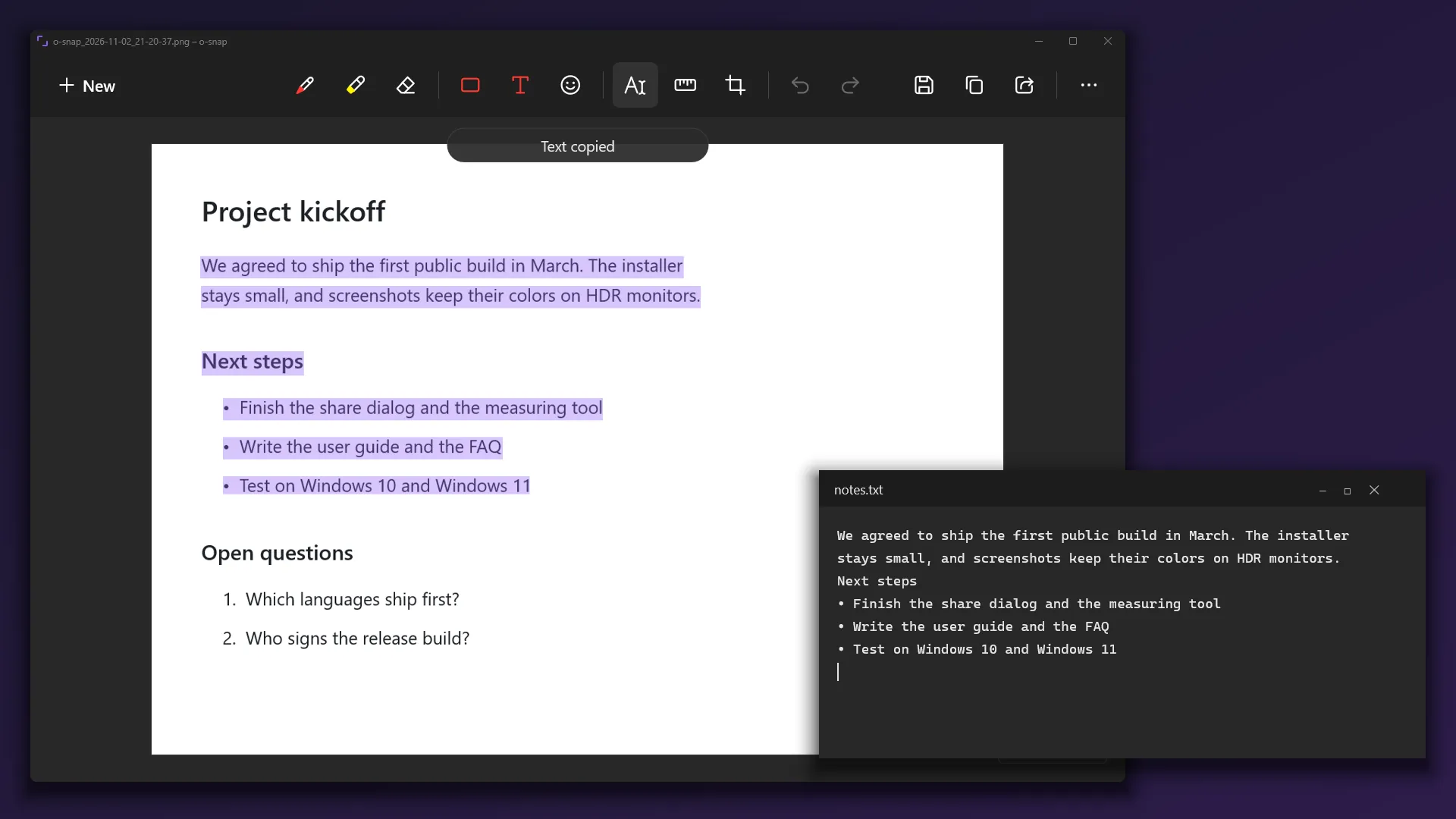
- copy text out of pictures and videos. across lines, with lists keeping their bullets.
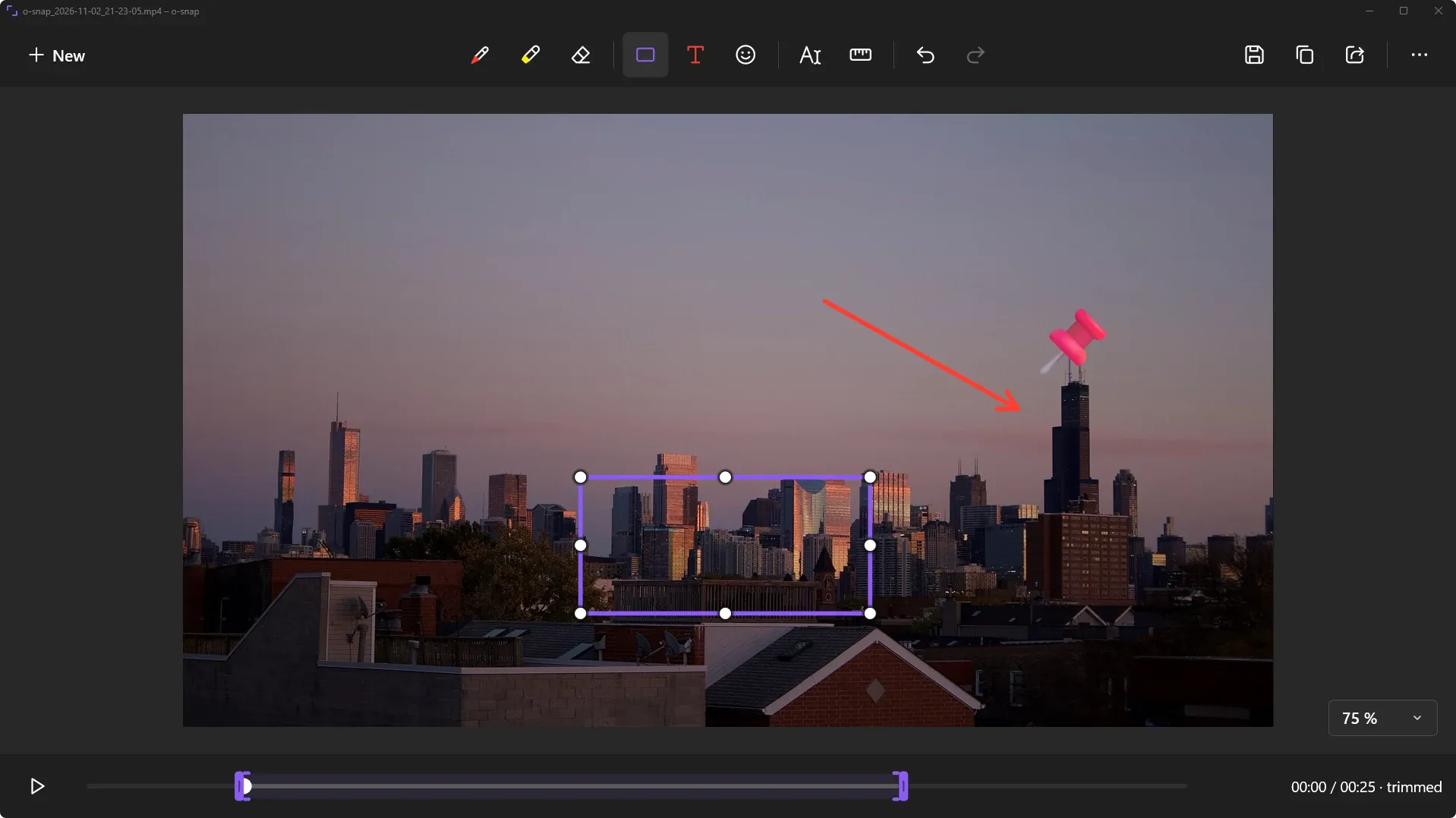
- draw on videos. pen, shapes, text and emojis, burned into the export. trim in the same window.
- stitch scrolled screenshots. take a few shots while scrolling, get one long image.
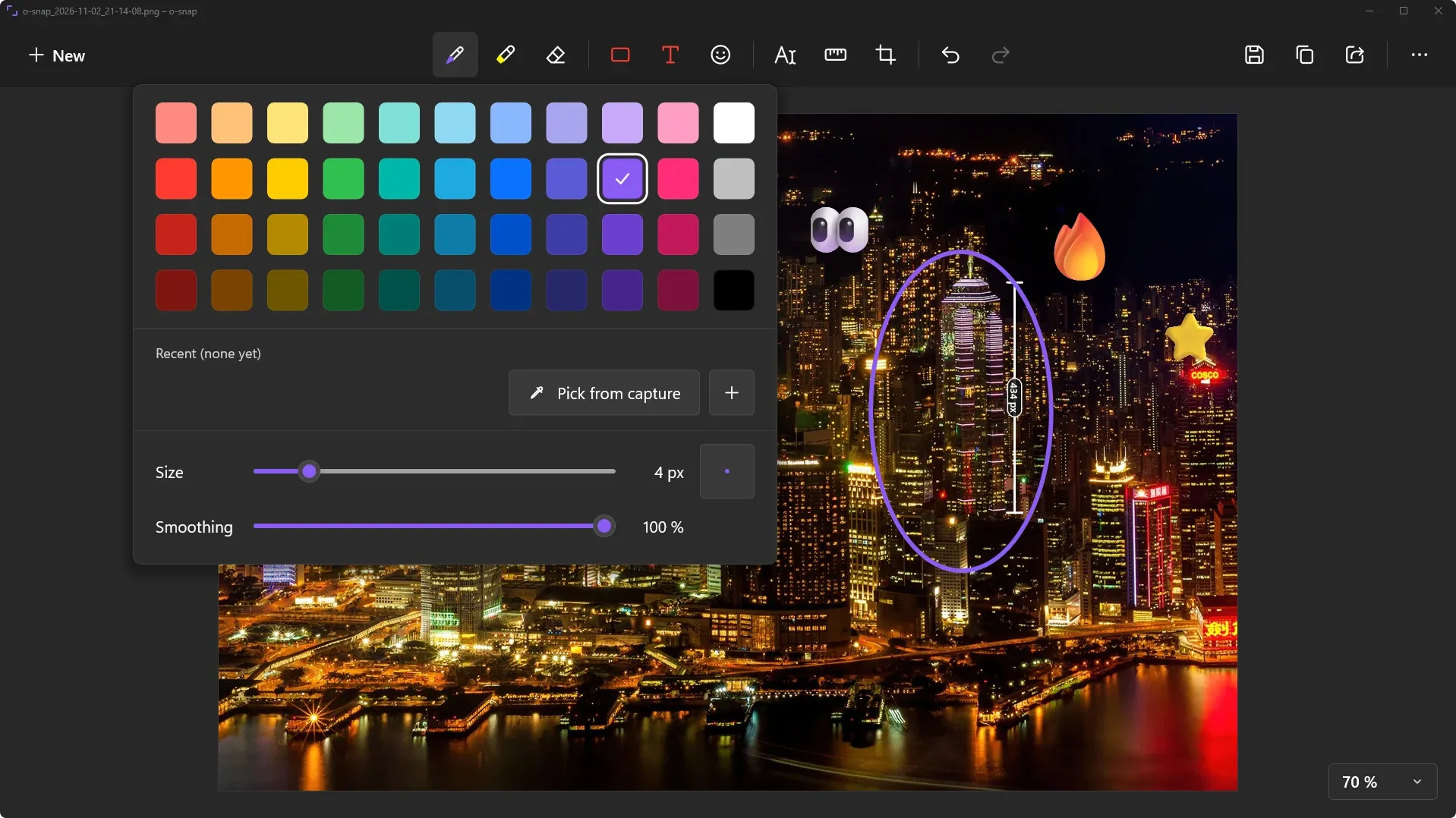
- a pen that tidies up. shaky lines snap straight, lumpy circles turn round.
- measure in pixels. drag a ruler, read the length.
- text in seven fonts and three looks. outlined, plain or on a label. click it later to change it.
- emojis. click to stamp, drag to size, right-click to delete.
- right-click erases in every tool.
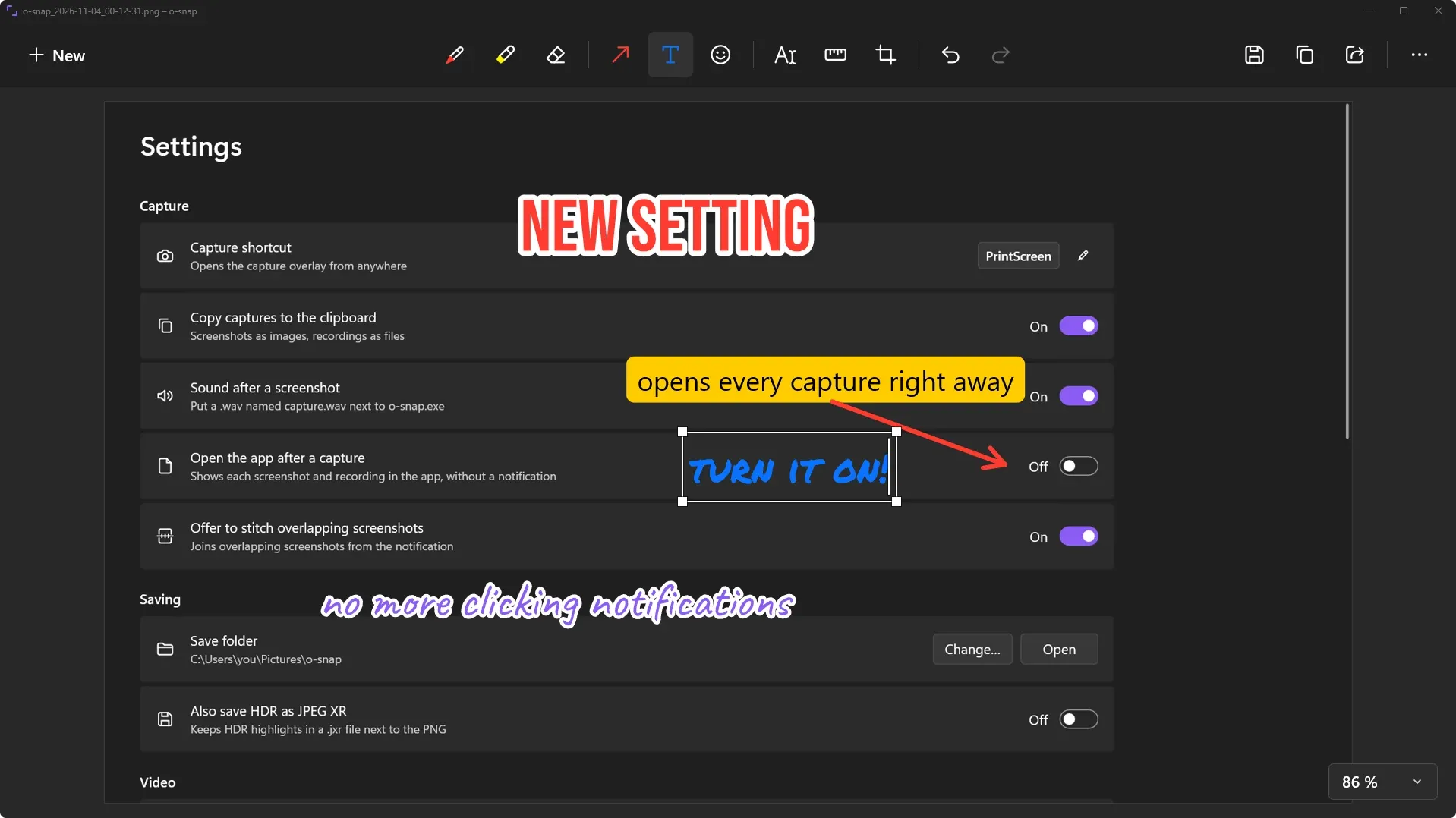
text in four of the seven fonts, the last one still being typed
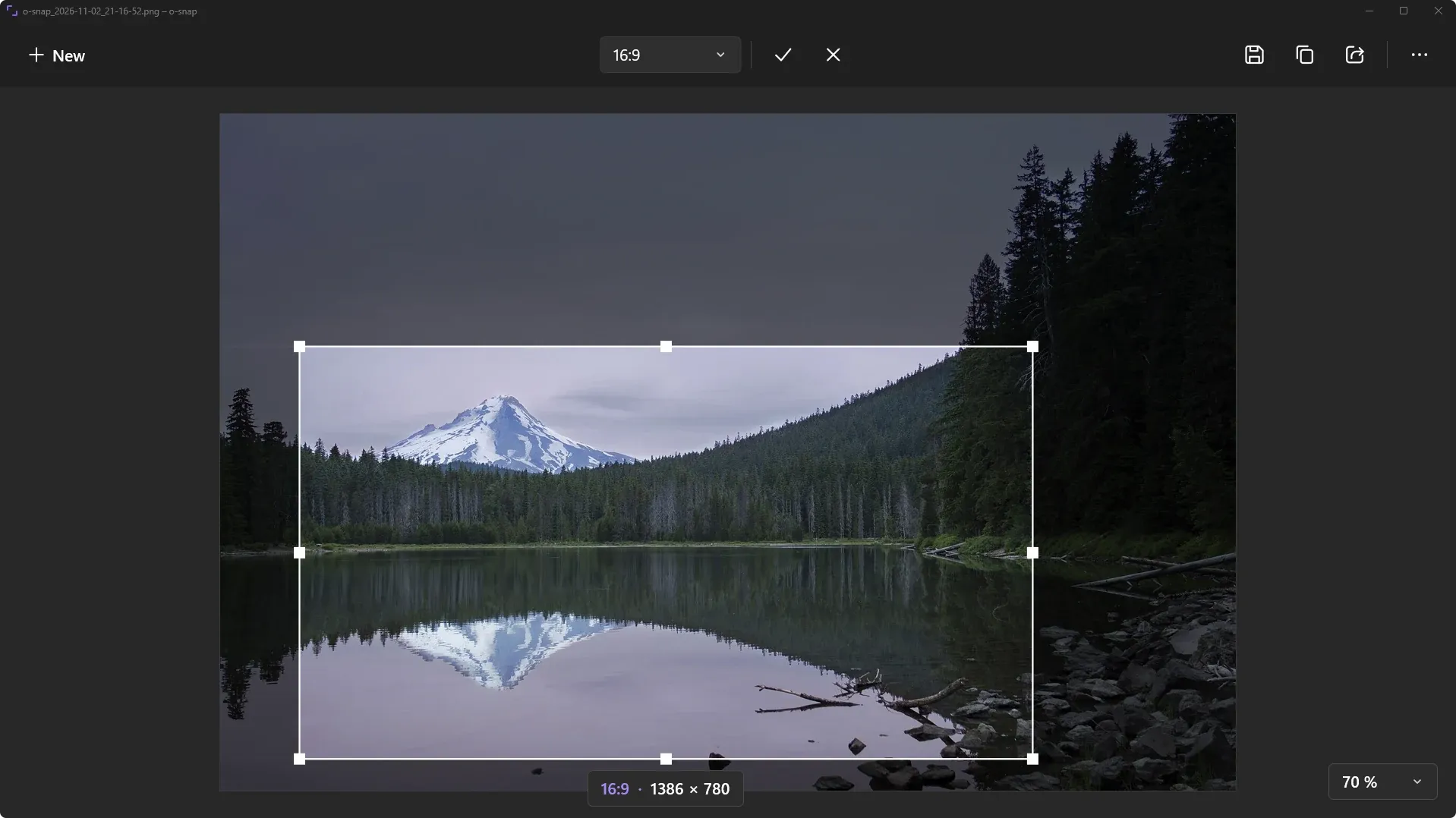
photos: cc0, via wikimedia commons
also
one bar for both: draw the area, then click photo or video. recording starts half a second later, no countdown. crop with ratio snapping, shapes you can still adjust, the windows share button, recordings that paste straight into chat apps, and an option to open every capture in the app instead of a notification. one ~3 mb program that waits in the tray.
download
o-snap.zip — 1.5 mb, windows 10 (2004+) / 11, x64. unzip, run
o-snap.exe. it isn’t code-signed yet, so smartscreen warns once — more info → run anyway.
mit-licensed, and provided as is: no warranty of any kind, and no liability for any damage or data loss from using it. use at your own risk.